
Shopify Volume Discount App
Shopify volume discount app for quantity breaks and Buy More Save More
Launch Buy More Save More campaigns with visible quantity breaks, cleaner storefront messaging, and the controls needed to keep threshold-based offers predictable.
Hidden incentive
Shoppers who would buy more don't — because they can't see the next tier.
Volume discounts hidden until checkout miss the decision point on the product page.
What shoppers see
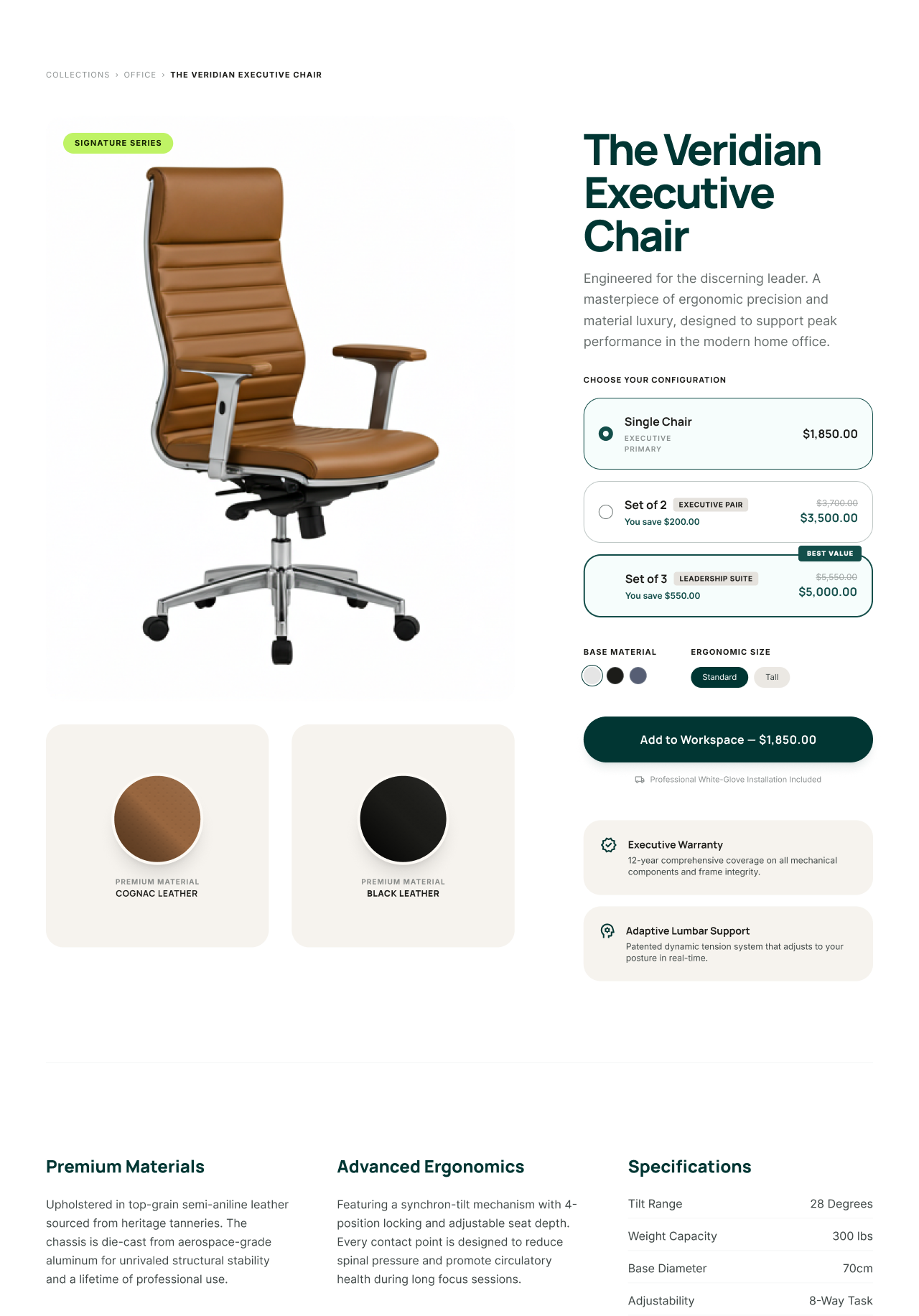
Shopify Volume Discount App with storefront visibility
Atom Discounts ties the offer rule to the storefront presentation so the promotion is visible earlier and stays connected to the controls behind it.
Set quantity or spend tiers with percentage, amount, or fixed-price logic.
Show tier messaging on the product page so the value is visible before checkout.
Use cart prompts and upsells to tell shoppers how close they are to the next tier.
When to use it
Pick it when one of these looks like your campaign.
Concrete merchant scenarios where this offer type is clearer and more effective than a generic discount setup.
Repeat-purchase products
Encourage shoppers to add one more unit with simple 3/5/8 style pricing breaks.
Inventory movement
Move selected inventory faster by making the next quantity tier feel immediately valuable.
AOV growth campaign
Use quantity tiers to lift basket size before layering in order or shipping thresholds.
Accessory replenishment
Promote larger replenishment orders for consumables or frequently reordered products.
How Atom handles it
Keep the offer, the message, and the control layer in one system.
Set quantity or spend tiers with percentage, amount, or fixed-price logic.
Show tier messaging on the product page so the value is visible before checkout.
Use cart prompts and upsells to tell shoppers how close they are to the next tier.
Protect margin with exclusions, limits, and controlled combinations with order or shipping offers.
Compared with Shopify native
Where Atom gives you more control.
Atom
Tiered pricing and quantity rules can stay attached to the actual products or collections that matter.
Shopify native
Basic discount setups are less expressive when multiple tiers or storefront guidance are part of the job.
Atom
Product-page messaging and cart prompts explain the next threshold clearly.
Shopify native
Without visible progress messaging, tiered offers can stay hidden until late in the funnel.
Atom
Volume discounts can coexist with other campaigns through explicit combinations and priority rules.
Shopify native
Overlapping threshold offers often need more manual handling to avoid confusing results.
FAQ
What to know before you install.
What is the difference between volume discounts and tiered pricing?
They are closely related patterns. Atom supports quantity- or spend-based tier logic so merchants can reward larger baskets with clearer breakpoints.
Can Atom show the next volume discount tier before cart?
Yes. Atom can show the qualifying threshold and the savings on the product page and reinforce it again in the cart.
Can volume discounts work with free shipping offers?
Yes, when combinations are allowed. Atom helps you manage those overlaps with stacking and priority controls.
Docs and install
Read the documentation behind this offer.
See the canonical volume-discount workflow and offer behavior.
Configure your first volume discount offer.
Show shoppers what to add to reach the next tier.
Related offer types
Other offers worth comparing.
Use bundles when the exact mix matters more than larger quantities.
Pair volume pricing with a second threshold-based incentive.
See where volume discounts fit into AOV and inventory campaigns.
How to structure tiered volume pricing with the right thresholds and discount depths.